
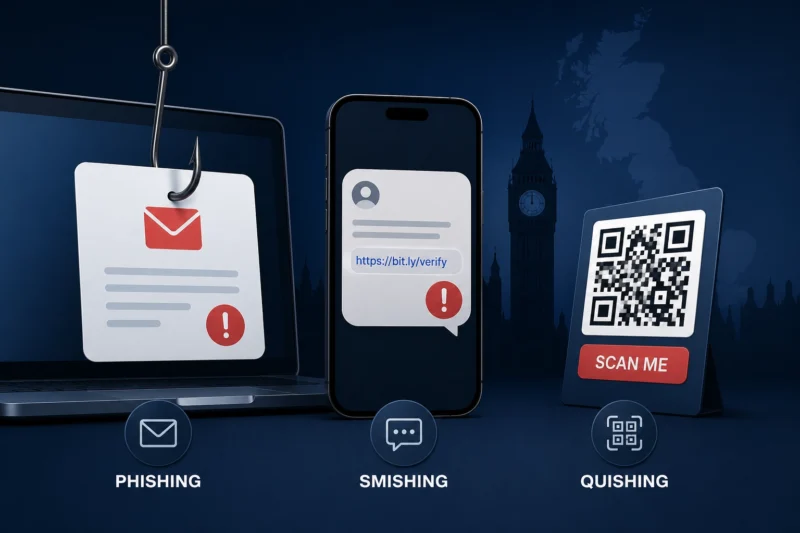
The most common cyber threat facing UK users isn’t a dramatic Hollywood-style hack, it’s a message. It might arrive as an email, text, WhatsApp message, social media advert, QR code, phone call or fake delivery notice. It may look like it came from your bank, Royal Mail, HMRC, a parking company, a retailer, a streaming service, a job recruiter or someone you know.
This is why phishing remains so effective. It doesn’t need to break into your device first, it tries to make you open the door.
In the UK government’s Cyber Security Breaches Survey 2025/2026, phishing remained the most common type of breach or attack by far, affecting 38% of businesses and 25% of charities. That matters for consumers too, the same techniques that work against organisations also work against individuals: urgency, authority, fear, curiosity and convenience.
Phishing is the broad term for scam messages designed to trick you into revealing information, clicking a malicious link, installing malware or sending money. Smishing is phishing by text message. Quishing is phishing through QR codes. Vishing is phishing by voice call. The labels are useful, but the goal is usually the same: get you to act before you think.
Quishing: The Threat Many Still Underestimate
QR codes feel harmless because they’re common in restaurants, car parks, posters, invoices and delivery slips. You point your phone, the website opens, and you carry on, that convenience is exactly why criminals like them. A fake QR code sticker on a parking meter can send you to a convincing payment page. A QR code in an email can move the attack from a work computer to a personal phone, bypassing some company security filters.
Action Fraud warned in 2025 that it had received 784 reports of quishing between April 2024 and April 2025, with almost £3.5 million lost. Car parks, parcel delivery messages and payment pages are especially obvious targets because people expect to act quickly.
Slow Down, Scams Rely on Momentum
The best defence is to slow down. Scams want you to pay a small delivery fee, secure your account, confirm a refund, avoid a penalty, claim a prize, or respond to a fake emergency. If a message makes you feel rushed, that’s the moment to pause.
For email scams, check the sender, but don’t rely on it, sender names can be spoofed or disguised. Look at the link before clicking, but remember that shortened links, tracking links and lookalike domains can be deceptive. The safest method is to avoid the link entirely and open the official app or website yourself.
For text scams, be especially wary of parcel messages, bank alerts, parking fines, HMRC refunds, energy support claims, missed payments and fake family emergency messages. If a text asks you to pay, verify identity or install an app, treat it as suspicious until proven otherwise.
For QR codes, be selective. Don’t scan random QR stickers in public places without checking them. If you’re paying for parking, use the official app listed on the machine or the council website. If a QR code opens a website, check the address carefully before entering payment details, and if a code has been stuck over another code, don’t use it.
For phone calls, remember that caller ID can be spoofed, a call appearing to come from your bank may not be your bank. If a caller says your account is at risk, hang up and call the bank using the number on the back of your card. Don’t move money to a “safe account”, that’s a classic fraud tactic.
Where Security Tools Help
Security tools help, but they don’t replace judgement. A good password manager can stop you entering passwords into fake websites because it won’t autofill on the wrong domain. Two-step verification can block account access even if a password is stolen. A VPN can protect you on public Wi-Fi, but it won’t stop you sending money to a scammer. Antivirus and web protection can block some malicious links, but no tool catches everything.
Email aliases and alternative phone numbers can reduce exposure — if you use a masked email for shopping and that alias starts receiving phishing, you know roughly where the problem came from, and if you use an alternative number for low-trust signups, your real mobile number is less likely to be passed around.
Reporting Matters
In the UK, suspicious emails can be forwarded to [email protected]. Suspicious texts can be forwarded to 7726. Fraud should be reported to Action Fraud, or to Police Scotland if you’re in Scotland. Reporting helps authorities and providers take down malicious sites and numbers.
Verdict
The big lesson is that phishing has moved beyond bad spelling and obvious fake logos. Scams now use leaked data, AI-written messages, familiar brands and realistic timing, a fake delivery text arriving when you’re expecting a parcel is dangerous because the context feels right.
The safest habit isn’t paranoia, it’s independent verification. Don’t use the link in the message. Don’t trust the number on the call. Don’t scan the sticker without checking. Go to the source yourself.
