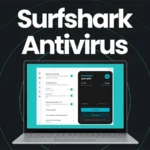

Surfshark Antivirus is the malware protection part of Surfshark One, the company’s wider privacy and security bundle. It is not trying to be the biggest standalone antivirus suite on the market. It is designed to sit inside the same Surfshark app as the VPN, Alternative ID, Alert, Search, and CleanWeb, giving ordinary users one place to manage privacy, identity protection, web protection, and malware defence.
That makes it interesting. Surfshark built its reputation as a VPN provider first, so its antivirus has to be judged slightly differently from products made by long established antivirus companies. Norton, Bitdefender, Avast, McAfee, and ESET all come from the traditional security software world. Surfshark comes from the privacy tool world. The result is a leaner antivirus that makes the most sense when bought as part of Surfshark One rather than as a separate replacement for every advanced security feature a power user might want.
My overall view is simple: Surfshark Antivirus is a good choice for people who want a clean, modern security bundle built around a strong VPN. It is especially attractive if you already like Surfshark VPN and want to add antivirus protection without managing another subscription. It is less ideal if you want a fully loaded antivirus suite with a firewall, password manager, parental controls, deep system tuning tools, or years of independent antivirus lab history behind it.
5th July 2026 pricing: Surfshark One starts from £2.39 per month on the 24-month term, with the fuller One Plus bundle from £3.95 per month. Full breakdown of every plan and term below, and a deeper look at which plan makes sense in our dedicated pricing guide.
Pricing
Price checked 1 day ago
| Plan | Term | Total Price | Effective Monthly |
|---|---|---|---|
| One | |||
| 24 Months (3 months free) | £64.48 | £2.39/mo | |
| 12 Months (3 months free) | £46.62 | £3.11/mo | |
| Monthly | £16.55 | £16.55/mo | |
| One Plus | |||
| 24 Months (3 months free) | £106.60 | £3.95/mo | |
| 12 Months (3 months free) | £98.82 | £6.59/mo | |
| Monthly | £19.19 | £19.19/mo | |
All prices include VAT where applicable. "Effective Monthly" divides the total price by the term length plus any free months included, so plans with different contract lengths and promotions can be compared fairly.
What is Surfshark Antivirus?
Surfshark Antivirus is a device security tool for Windows, macOS, and Android. It protects against viruses, malware, suspicious files, malicious websites, phishing attempts, ransomware style attacks, and unwanted webcam access. It includes real time protection, manual scans, scheduled scans, quarantine, web protection, ransomware protection, webcam protection, drag and drop scanning, and regular malware database updates.
It is available through Surfshark One and Surfshark One+. Surfshark Starter includes the VPN, Alternative ID, and CleanWeb, but not Antivirus. Surfshark One adds Antivirus, Alert, and Search. Surfshark One+ adds Incogni data removal on top of the One package.
That structure is important because Surfshark Antivirus is not really the whole product. The product is the bundle. The antivirus protects the device itself, while the VPN protects the internet connection, Alert monitors for data leaks, Alternative ID helps mask personal details online, Search gives you a private search option, and CleanWeb blocks ads, trackers, malware, and phishing attempts in supported apps and browsers.
In plain English, Surfshark Antivirus is best understood as one layer in a broader security setup. It is the layer that watches files, downloads, apps, websites, and device behaviour for threats.
Key Features
The most important feature is real time protection. This is the part of Surfshark Antivirus that works in the background and scans files and applications as you open, access, or download them. That matters because modern malware protection should not rely only on you remembering to press a scan button. Good antivirus software needs to catch threats at the point they arrive.
Surfshark also includes on demand scans. These are manual scans you can run whenever you want to check the whole device, a folder, or a specific file. This is useful after downloading software, plugging in external storage, restoring old backups, or cleaning up a machine that has not been checked properly for a while.
Scheduled scans are included too. You can set Surfshark to run quick or full scans automatically, which is useful because most people do not remember to do this manually. Scheduled full scans once a week is a sensible default for typical users; people who download lots of files, use removable storage, or install unknown apps may want to scan more often.
Quarantine is handled in the expected way. When Surfshark detects a suspicious or infected file, it can isolate the item so it cannot continue causing harm. Files in quarantine can be restored if needed, and Surfshark says infected files are automatically deleted after 60 days in isolation.
Web protection adds another useful layer. Instead of only reacting after a dangerous file lands on the device, Surfshark can block access to malicious websites and apps. This matters for phishing because many attacks do not start with a traditional virus, they start with a fake login page, a malicious download link, or a compromised website that tries to trick the user.
Surfshark also includes ransomware shield protection. No antivirus can promise perfect ransomware protection, but having a feature that monitors for this style of attack is important.
Webcam protection is another useful extra, especially on laptops. Surfshark can notify you when an app tries to access your camera and can block untrusted apps from using it.
Drag and drop scanning is a small but helpful usability feature: drop a downloaded file into the Surfshark app rather than digging through scan menus. Surfshark also says its antivirus database updates every three hours, frequent updates matter because malware changes constantly.
Platform Support
Surfshark Antivirus runs on Windows 10 and later, Windows on ARM, Android 6 and later, and macOS 12 Monterey or later. It does not provide full antivirus protection on iOS, which is not unusual since Apple’s iPhone and iPad operating system does not allow antivirus apps to work in the same deep system scanning way as Windows, macOS, or Android.
This means Surfshark One is strongest if your main devices are Windows laptops, MacBooks, Android phones, and Android tablets. If your household is built around iPhones and iPads, you still get value from Surfshark VPN, Alert, Alternative ID, Search, and CleanWeb, but you should not buy the bundle expecting a traditional iPhone antivirus.
Another detail to note is that Surfshark’s VPN allows unlimited simultaneous connections, but the antivirus protection is not unlimited in the same way, Surfshark’s own trial page says the trial covers three devices and that continued use unlocks protection on five devices. For many households, five antivirus devices will be enough; for larger families, it may be a limitation.
Independent Testing
The strongest independent signal for Surfshark Antivirus is AV-TEST certification. In AV-TEST’s published Windows consumer antivirus results, Surfshark Antivirus received certification in June 2025, scoring 6 for protection, 5.5 for performance, and 5.5 for usability. In June 2024, it was listed as a Top Product with 6 for protection, 5.5 for performance, and 6 for usability.
Those are good results, especially for a VPN-first company that is still building its antivirus reputation. The caveat is that Surfshark does not yet have the same long, dense public testing history as the biggest antivirus brands, a good AV-TEST result matters, but consistency over several years matters too.
Performance and Usability
Surfshark Antivirus is designed to be lightweight and quiet, fitting the wider Surfshark style. The app is clean and simple, you do not need to understand malware families or detection engines to run a scan, toggle real time protection, or check what has been quarantined. Some antivirus suites bury normal users under warnings, upsells, optimisation tools, and confusing menus; Surfshark feels more restrained.
The risk with lightweight design is that advanced users may find it too limited. If you want granular firewall rules, advanced exploit prevention settings, custom application control, or detailed security logs, Surfshark Antivirus is a practical consumer product, not a forensic toolkit.
The Bundle: VPN, Alert, Search, Alternative ID, and CleanWeb
The main reason Surfshark Antivirus stands out is the surrounding bundle. Surfshark VPN is still the centrepiece, offering unlimited simultaneous VPN connections, thousands of servers, modern VPN protocols, a kill switch, split tunnelling on supported platforms, MultiHop, and CleanWeb.
Surfshark Alert monitors for personal data leaks and warns you if details such as your email, ID information, or credit card data appear in leaked databases. Surfshark Search is a private search tool designed to avoid search tracking and personalised results. Alternative ID lets you create an alternative online identity and proxy email, useful for newsletters, sign-ups, and websites you do not fully trust.
CleanWeb blocks ads, trackers, malware, and phishing attempts in supported apps and browsers, it overlaps slightly with antivirus web protection, but layered protection is normal in security software. Surfshark One+ adds Incogni, a data removal service that asks data brokers to remove your personal information from their databases, making One+ the more complete identity privacy package.
Advantages
- Convenience: Surfshark Antivirus lives inside a wider app many people already use for VPN protection.
- Value: bundling a VPN and antivirus together is usually cheaper than buying a premium VPN and a premium antivirus separately.
- Usability: the app is clean, direct, and approachable.
- Breadth of protection: antivirus, VPN, breach alerts, private search, alternative identity, ad blocking, tracker blocking, and optional data removal all sit under one account.
- AV-TEST recognition: Surfshark’s antivirus has passed recognised third-party testing, not just a marketing label.
Disadvantages
- Not as mature as the big dedicated antivirus suites, without the same long-term independent testing history.
- No password manager included, a noticeable gap in an all-in-one security bundle.
- No traditional firewall replacement, though Windows and macOS already include built-in firewalls.
- No full iOS antivirus protection, partly due to Apple’s platform restrictions.
- The five-device antivirus limit can surprise buyers, since Surfshark VPN itself allows unlimited connections.
- Renewal pricing can be much higher than the first term, common across VPN and antivirus subscriptions, but worth checking before purchase.
Who Should Use Surfshark Antivirus?
Surfshark Antivirus is best for existing Surfshark VPN users, first-time security suite buyers, families with a handful of main devices, travellers, remote workers, students, and anyone who wants a simple combined privacy and antivirus package. It is also a good fit for people who find traditional antivirus suites annoying and want quiet protection with simple controls.
More caution is warranted for business users, high-risk users, security professionals, and people who need very advanced endpoint protection, Surfshark Antivirus is a consumer product, not a business endpoint detection platform.
Verdict
Surfshark Antivirus is a strong addition to Surfshark One, and it makes the most sense as part of that bundle. Judged purely as a standalone antivirus, it is good but not the most complete option on the market. Judged as part of Surfshark One, it becomes much more compelling.
The core protection features are present: real time scanning, manual scans, scheduled scans, quarantine, web protection, ransomware shield, webcam protection, and frequent database updates. The independent AV-TEST results are reassuring, the app is easy to use, and the wider bundle adds real value through the VPN, Alert, Search, Alternative ID, CleanWeb, and optional Incogni data removal in One+.
The drawbacks are clear too: no password manager, no full firewall, no traditional iOS antivirus, a shorter testing history than the biggest antivirus brands, and antivirus coverage limited to fewer devices than the VPN.
If you already want Surfshark VPN, upgrading to Surfshark One for the antivirus and identity tools is easy to justify. If you are shopping specifically for the most advanced antivirus suite, compare it against dedicated security brands first. But for most home users who want one clean, affordable package for privacy and device protection, Surfshark Antivirus is a very sensible choice.